September 15, 202636
Coarobo GK to Exhibit at ATR Open House 2026 for the First Time as a Tenant of ATR Unicorn
- exhibition booth
- joint program
- robot teleoperation
- open source

01Physical AI Visualization
See what your robots perceive and do, live or replayed, right in your web browser.
The demo opens paused on a recorded sample, so press the play button to start.
Open a recording or connect to a running robot, and explore its 3D scene, cameras, plots, and logs side by side, with nothing to install.
Clear Picture
See the 3D scene, the cameras, and the state of a robot on one screen, and understand what it perceives at a glance.
Faster Debugging
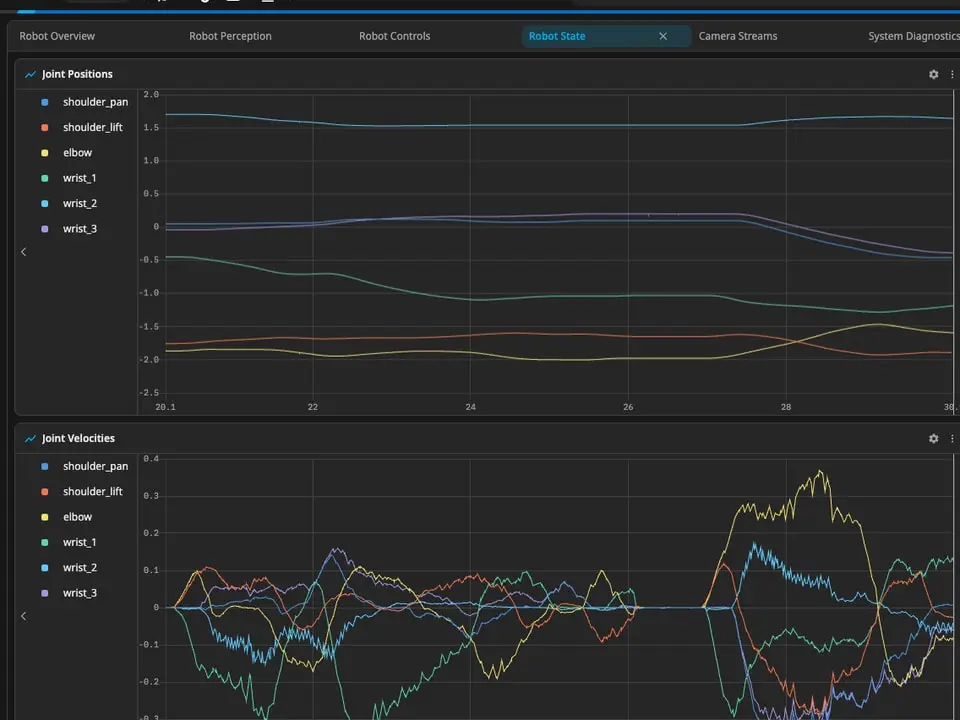
Replay a run frame by frame and plot any value over time to find the cause of an issue faster.
Shared View
Share a link or a layout file, and everyone on the team opens the same view in a browser, in English or Japanese.
Open Viewport in a web browser, with nothing to install on your computer.
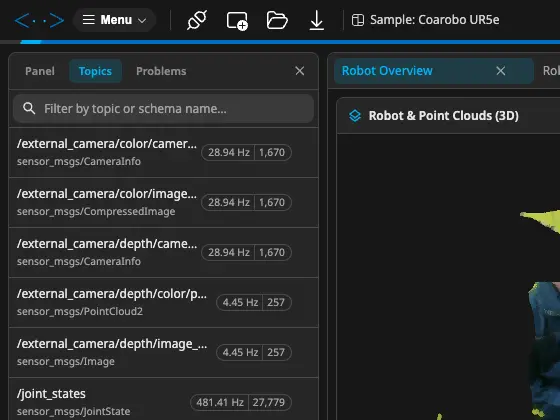
Open a recording from your computer or a web server, or connect live to a ROS 1 or ROS 2 robot through rosbridge.
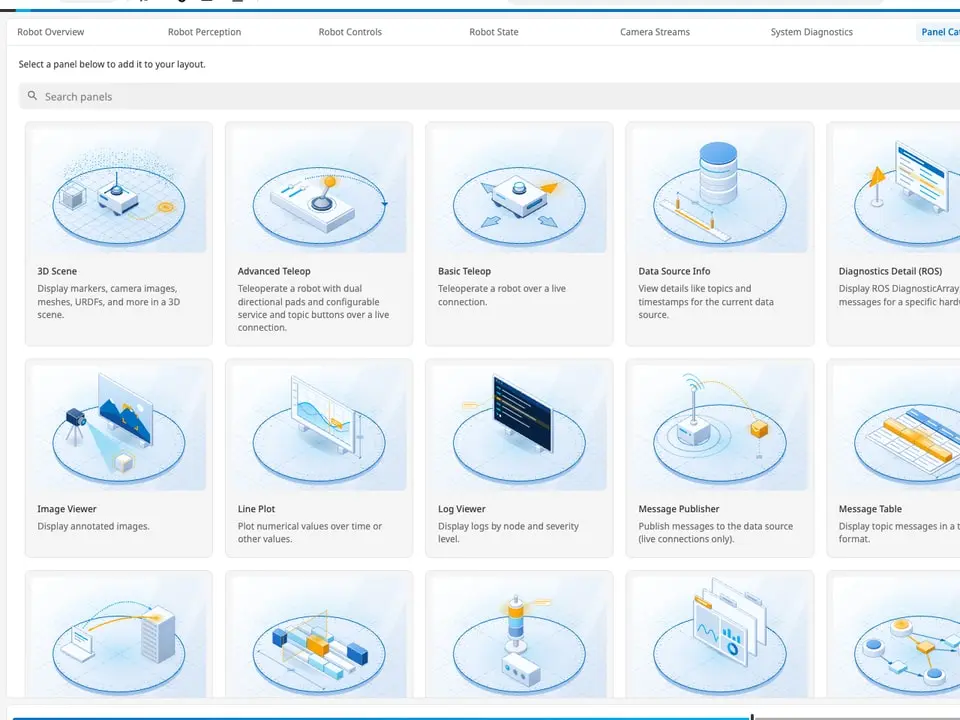
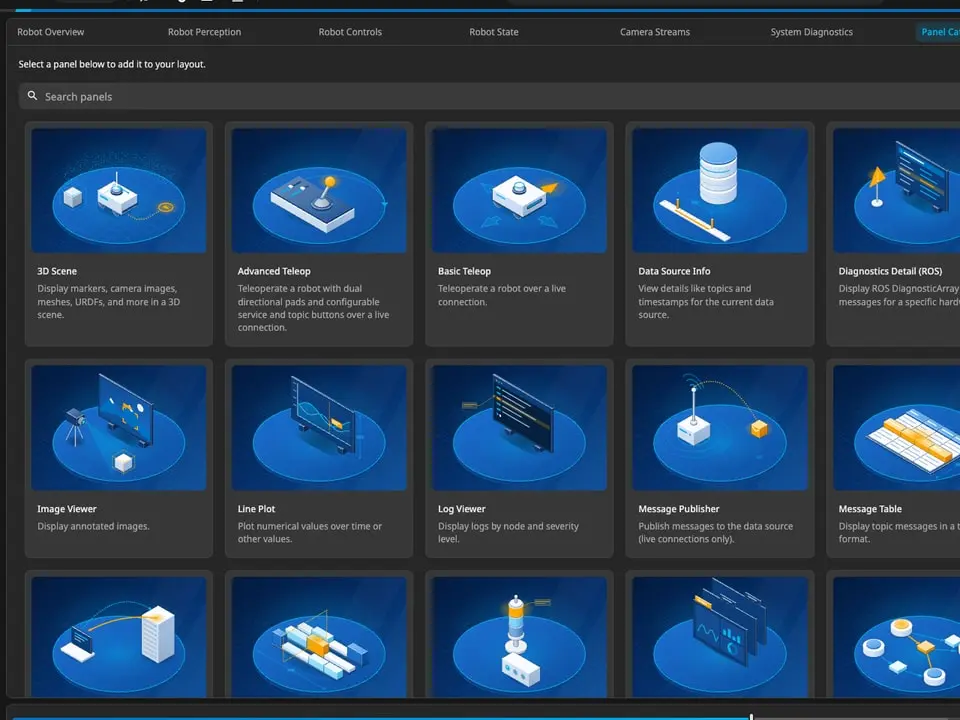
Pick the panels you need, such as a 3D scene, cameras, plots, diagnostics, and teleoperation, and save them as a layout.
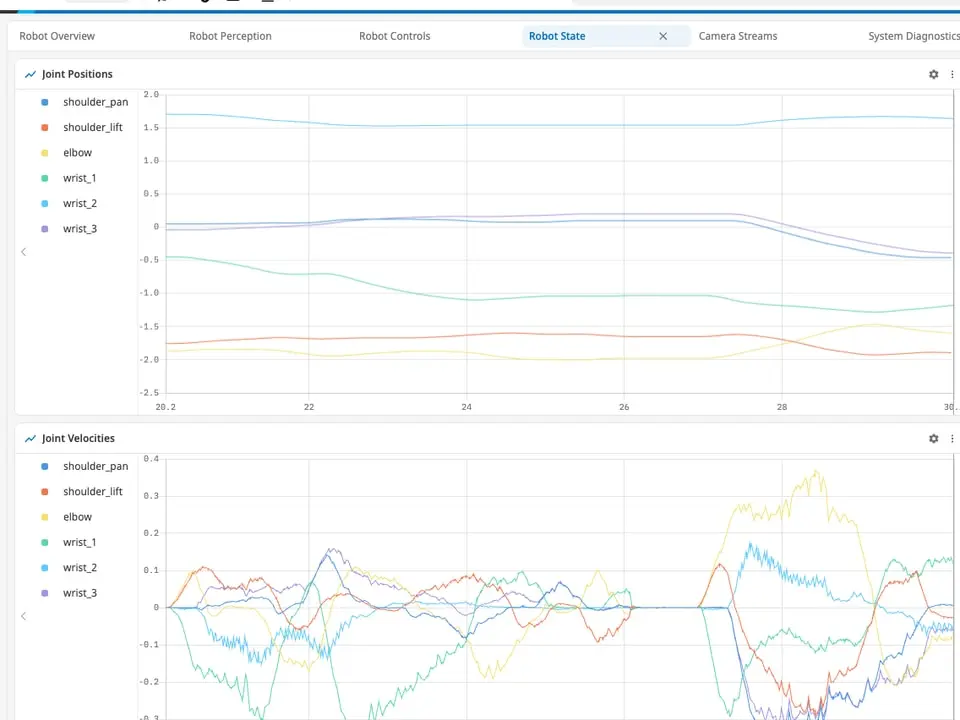
Replay, step, and plot to find what happened, and on a live connection, act on the robot from the same screen.
Open a recorded sample in the live app, in a new tab, with nothing to install.
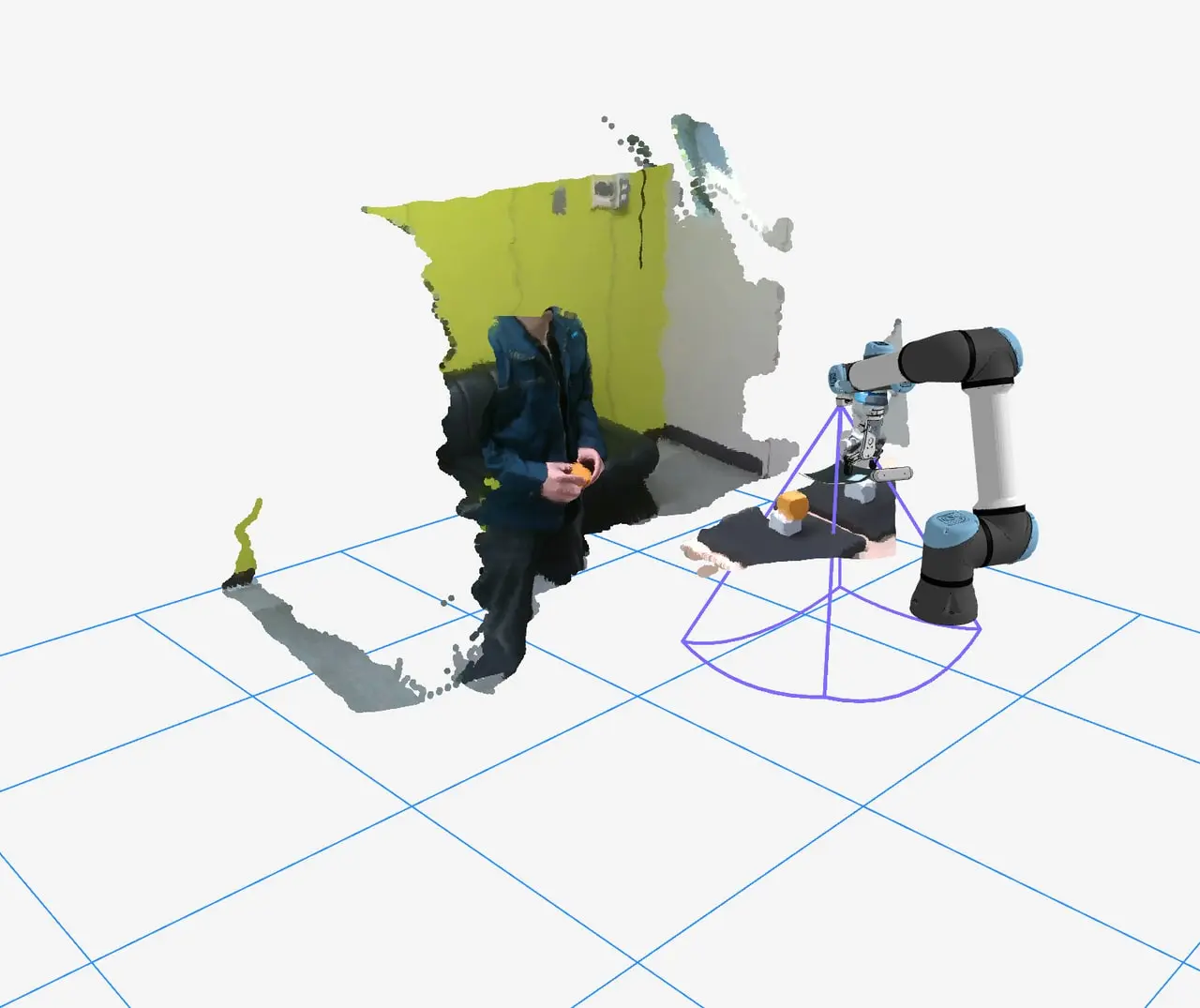
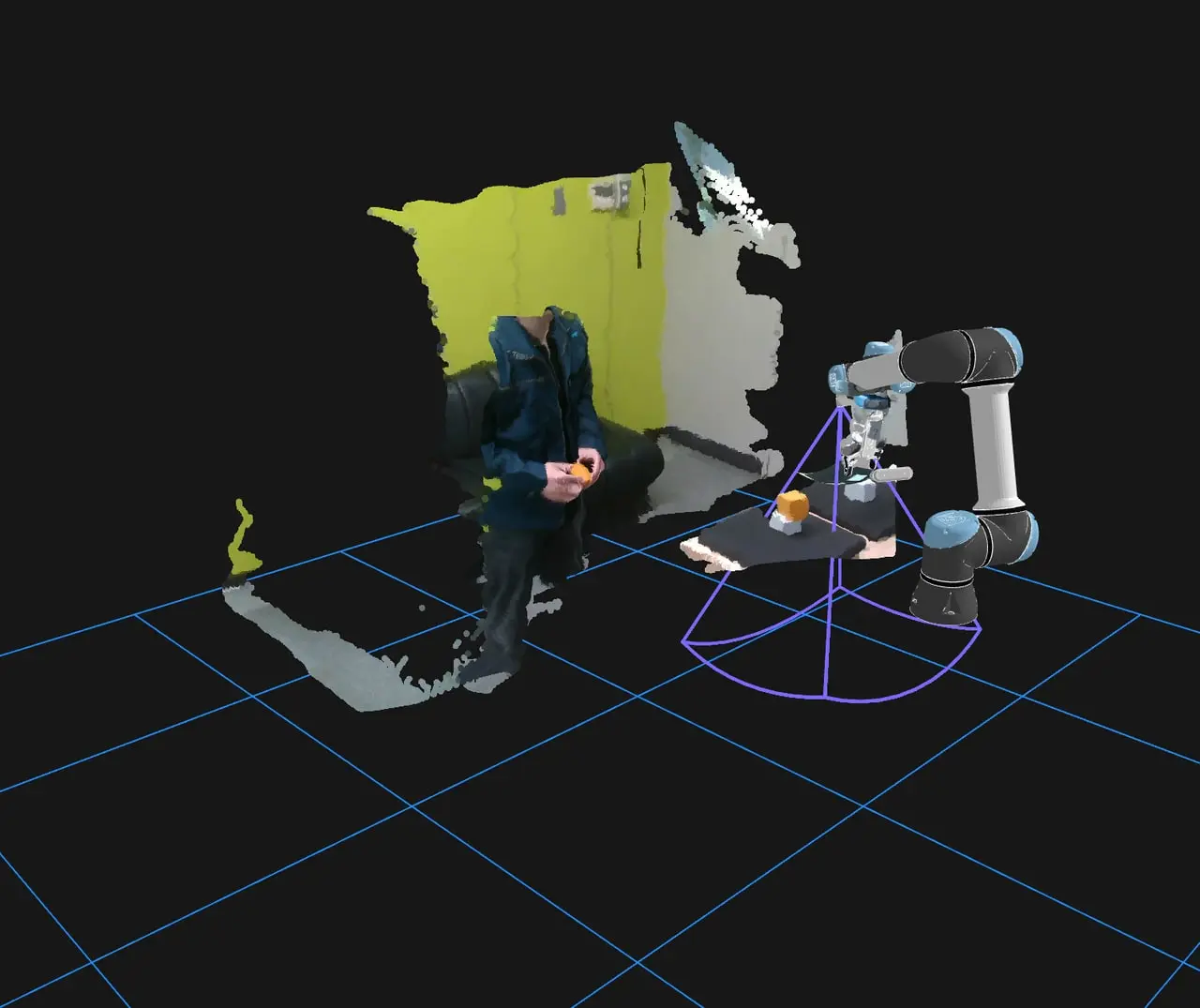
A robot arm under teleoperation, with the point clouds of the room, its cameras, and the state of its gripper.
Live Demo (Arm) (opens in a new tab)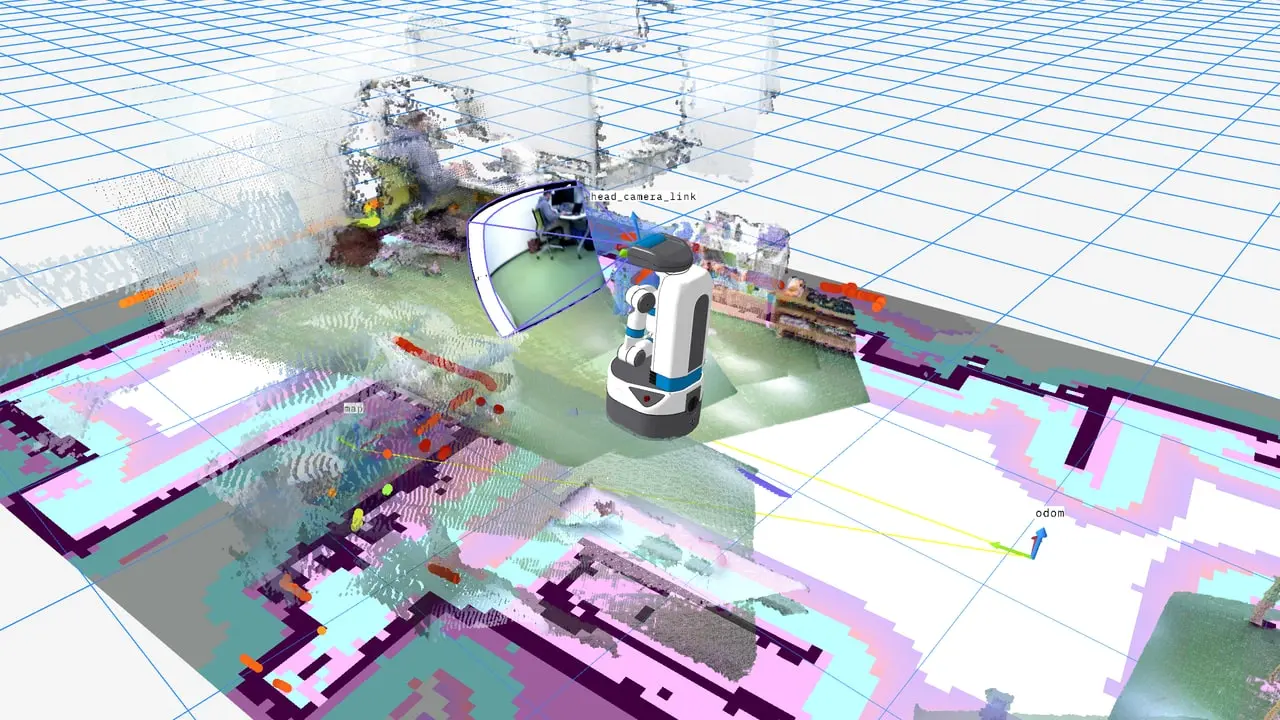
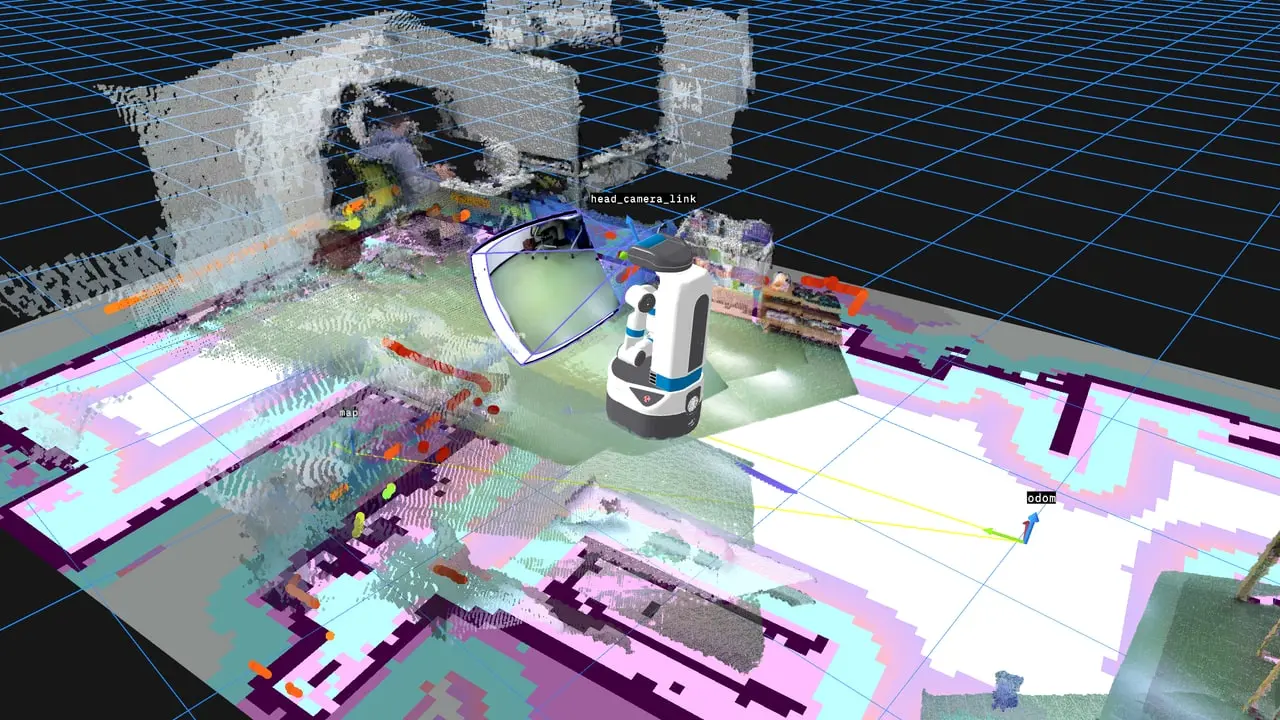
A mobile robot navigating a room, with its map, its planned path, and its laser scan.
Live Demo (Mobile Robot) (opens in a new tab)The demo opens paused on a recorded sample, so press the play button to start.
Robot models, point clouds, maps, markers, and coordinate frames come together in one interactive 3D scene.
Play back a recording, jump to any moment, and step frame by frame to catch the exact instant of an event.
Plot message values over time and follow state changes, gauges, and indicators as the robot runs.
Check the health of each device, inspect raw messages, filter logs, and map the topics of the whole system.
On a live connection, drive a mobile base or an arm and call its services from on-screen pads and buttons.
Combine more than twenty panels into tabbed layouts, then save them as files to reuse and share.
Engineers who build perception, navigation, or manipulation.
They replay the recording of a failed run frame by frame, with the 3D scene, the cameras, and the plots in step, and find the moment it went wrong without the robot at hand.
Operators who run robots at demonstrations, exhibitions, and field tests.
They watch the state of the robot at a glance and drive it from the same browser tab, on a laptop with nothing installed.
Labs and R&D teams that review robot data together.
They send a link to the exact moment of a recording or share a layout file, so everyone discusses the same view, in English or Japanese.
Open the recorded sample of a robot arm in the live app, with nothing to install.
See Viewport replay a robot arm and a mobile robot with their 3D scenes, cameras, and maps.
Let's discuss using Viewport with your robots.
No, Viewport opens in Google Chrome or another Chromium-based browser, and a live robot only needs rosbridge running on its own computer.
No, the live demo opens two recorded samples, a robot arm and a mobile robot, in one click, and you can open your own recordings too.
No, a recording opened from your computer is read inside the browser and never uploaded, and the app sends no usage analytics.
MCAP, ROS 1 bags, ROS 2 bags, and PX4 ULog files open from your computer, and MCAP files and ROS 1 bags also stream from a web server.
Yes, on a live connection you drive a mobile base or an arm and call its services from on-screen pads and buttons, on the same screen as its data.
Yes, through Coarobo Gateway, the cloud infrastructure that connects every Coarobo product, Viewport reaches a robot on another network, such as a laboratory or a factory.
Coarobo Viewport is part of the Coarobo suite, one family of products made to work together around our open-source core.
 Coarobo ViewportPhysical AI VisualizationThis Product